4 Best Podcast Attribution Software Tools in 2026
4 Best B2B Podcast Attribution Software Tools in 2026
Summary
In B2B podcasting, attribution often means manually asking leads 'How did you hear about us?' and hoping they remember. This guide compares four podcast attribution software tools to actually track the listener journey, with Bouncelink and JumpLink leading the pack.
Why listen to me
I host The B2B Podcasters Show, and like most podcasters, I started with just basic download metrics: consumption hours, episode rankings, geographic data. Great for tracking growth, but useless for answering the question that actually matters: Are the right people listening?
The only way I could tell if listeners fit my ICP was tracking clicks on links in my show notes. That's why I'm obsessed with attribution tools that connect my podcast episodes to my business outcomes.
So this guide compares the best podcast attribution software available in 2026, covering features, pricing, and what makes each one different. Whether you're tracking newsletter signups, or inquiries, you'll find the right solution here.
The Best B2B Podcast Attribution Software Tools in 2026
| Tool | Key feature | Best for | Pricing |
|---|---|---|---|
| Bouncelink | Social media + show notes attribution | B2B podcasters tracking full listener journey from social to website | 30-day free trial, then $16/month/podcast (annual) |
| JumpLink | Show notes attribution | Podcasters tracking listener journey from show notes | Free plan available, Pro plan at $20/month/podcast |
| Bitly | Link tracking | Podcasters needing basic link shortening without attribution | Free plan available (5 links/mo), paid plans from $10/month (100 links/month) |
| Manual tracking | Full customization via UTM parameters | DIY podcasters comfortable with Google Analytics | Free (time investment required) |
1. Bouncelink - Best for Complete B2B Podcast Attribution
What It Does
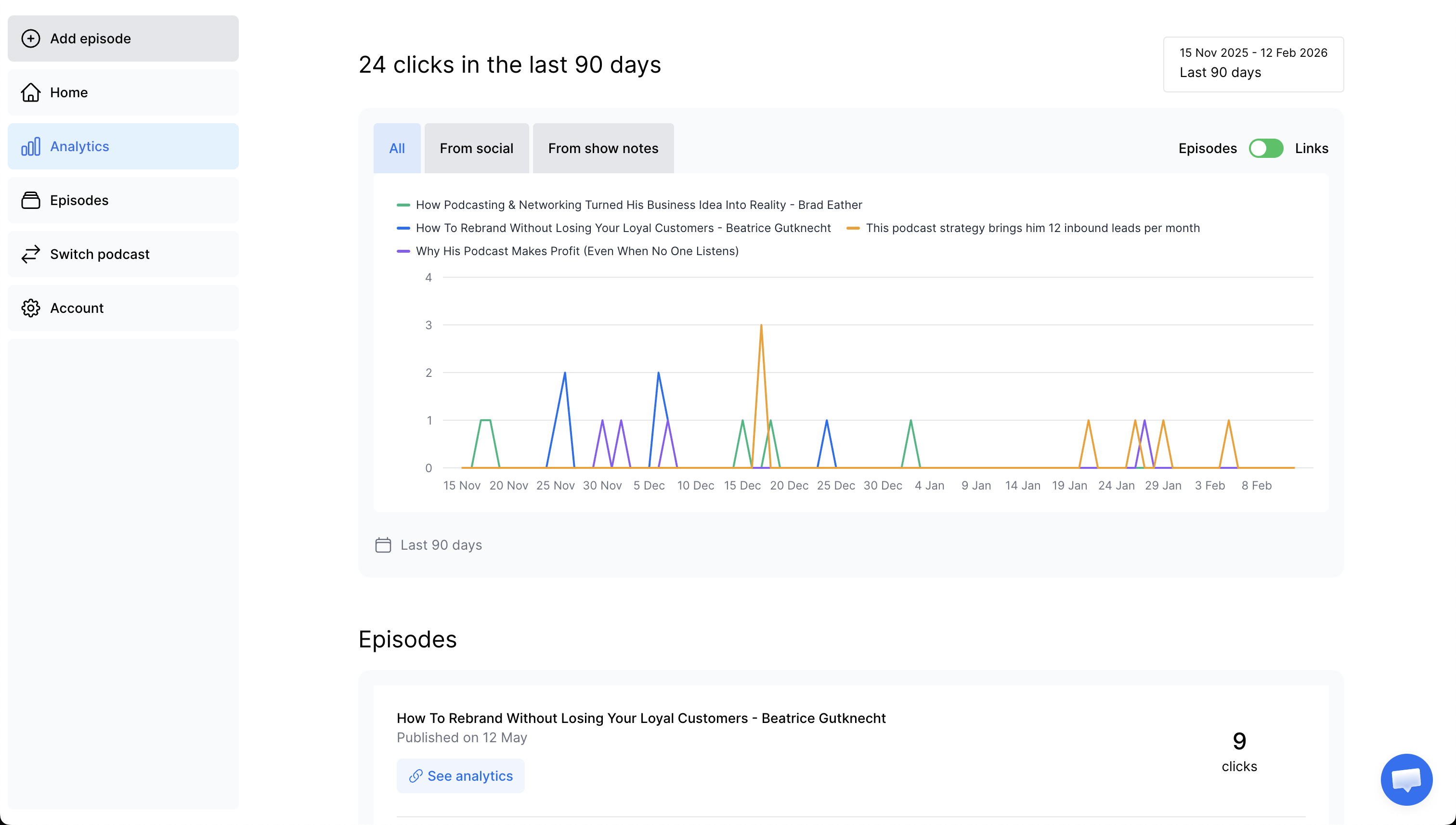
Bouncelink is the only podcast attribution tool that tracks the complete listener journey from social media promotion through to website clicks. While most tools only show what happens after someone listens to your episode, Bouncelink reveals how they discovered your podcast in the first place.
This is particularly valuable for B2B podcasters who promote episodes across multiple channels and need to know: Did listeners come from LinkedIn, Twitter, or your newsletter? Which episodes drove the most qualified traffic to your website? Which promotional channels are worth your time versus which ones just generate vanity downloads?
Traditional podcast analytics show downloads and consumption hours, but they can't tell you if those listeners match your ICP or took any action. Bouncelink bridges this gap by connecting social promotion → podcast listen → show notes clicks, giving you the full picture of episode performance and ROI.
Key Features
- Episode-level attribution across social media and show notes
- Track which promotional channels drive the most engaged listeners
- Identify which episodes generate website traffic from qualified prospects
- Real-time analytics showing the complete listener journey
- Unlimited links and episodes on all plans
Pricing
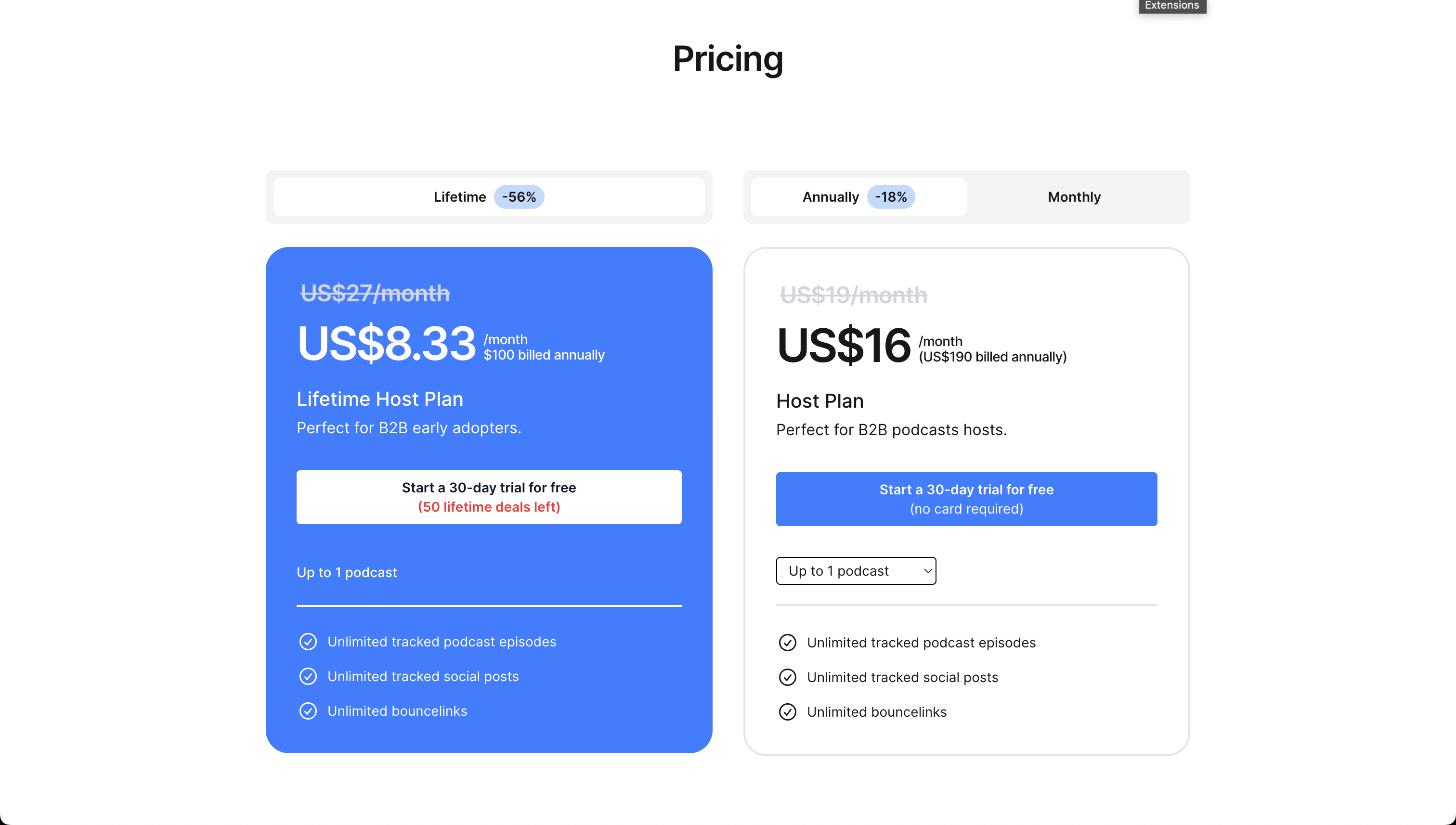
- 30-day free trial available
- Annual plan starts at $16/month per podcast.
Best For
B2B podcasters who promote episodes on social media and want to understand which marketing efforts actually drive business results, not just download numbers.
Pros
- Only tool tracking both social attribution (where listeners come from) and show notes performance (where listeners go)
- Reveals which promotional channels drive the most qualified, engaged listeners
- Identifies episodes that look successful by impressions and downloads but don't actually convert
- Quick setup with no technical knowledge required
- Unlimited links and episodes on all plans
Cons
- Newer tool with smaller user base compared to general link shorteners
- Limited integrations compared to established platforms like Bitly
2. JumpLink - Best for Show Notes Engagement Tracking
What It Does
JumpLink is a podcast-focused link tracking tool that measures how listeners engage with your show notes. The platform integrates directly with major podcast hosting platforms (Spreaker, Buzzspruzz, Podbean, Simplecast) to automatically convert your show notes links into trackable JumpLinks, eliminating manual link creation.
The platform's standout feature is "interstitials" which are custom screens that appear when listeners click your links. You can add voice messages, surveys, calls-to-action, or sponsor messages before redirecting to the final destination, creating engagement opportunities beyond simple click tracking and helping you prove value to sponsors.
Key Features
- Show notes link tracking with episode-level analytics
- Custom interstitials (voice messages, surveys, CTAs) before link destinations
- Automatic link conversion from your podcast host
- UTM tracking codes for campaign attribution
- Pixel tracking for retargeting and analytics
- Unlimited links and episodes on all plans
Pricing
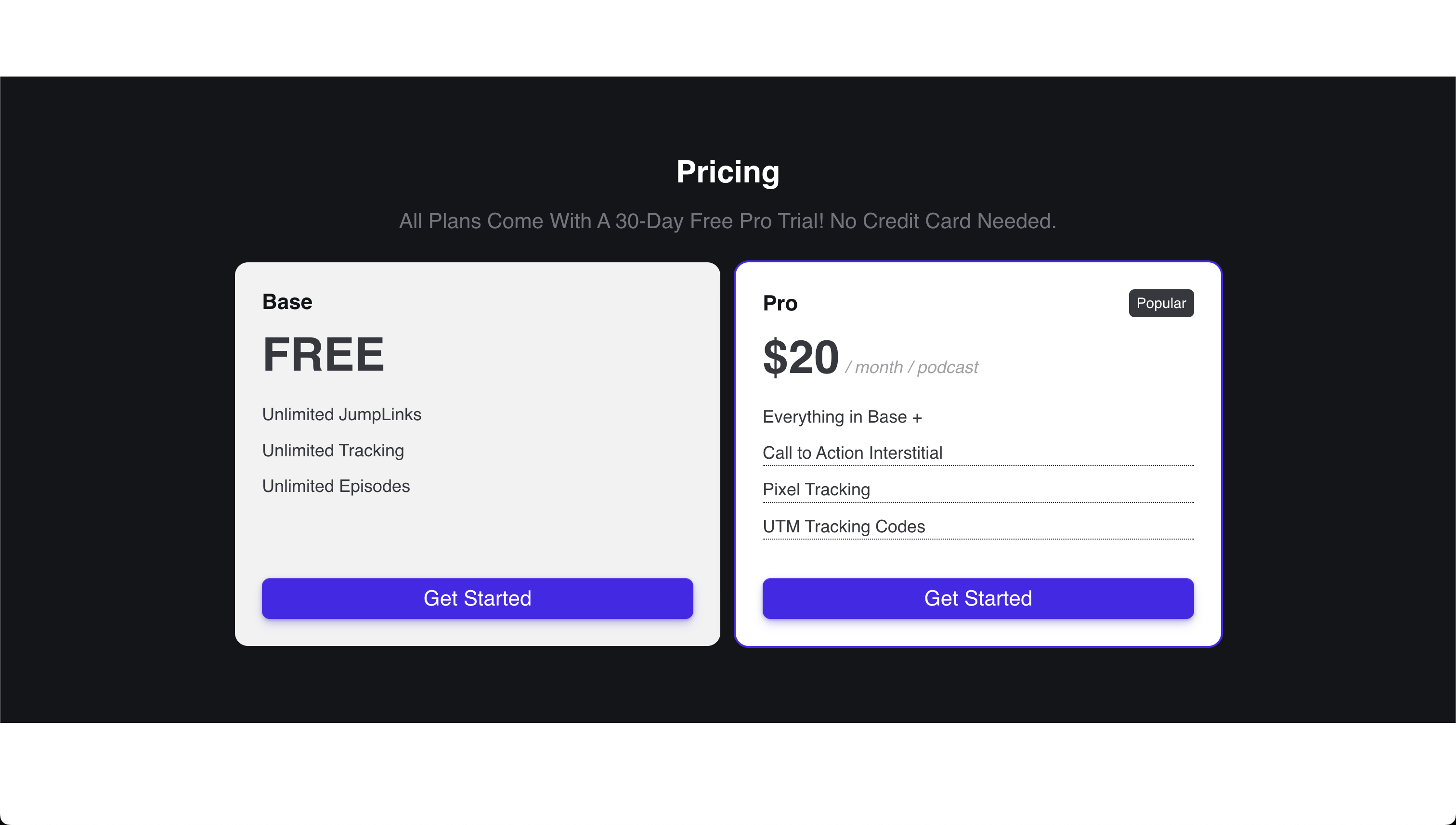
- Free plan with unlimited tracking
- Pro plan at $20/month per podcast interstitials, pixel tracking, and UTM codes
Best For
Podcasters who want to understand show notes engagement, prove value to sponsors, and create interactive experiences when listeners click links.
Pros
- Free plan with unlimited link tracking
- Automatic link conversion eliminates manual work
- Interstitials create unique engagement opportunities for sponsors and listener interaction
Cons
- Does not track social media attribution (can't tell where listeners came from before listening)
3. Bitly - Best for Basic Link Tracking
What It Does
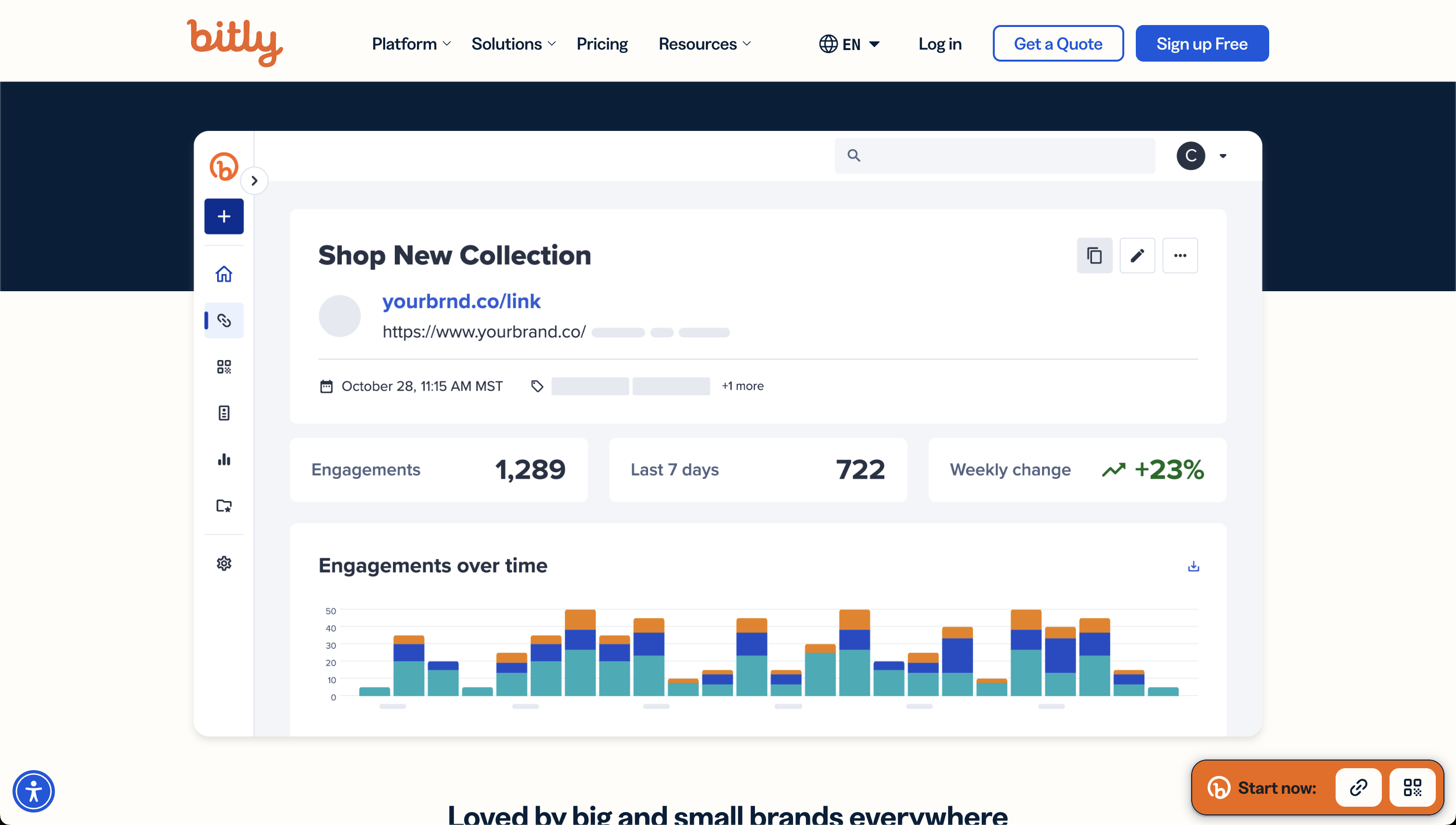
Bitly is a general-purpose link shortener that provides basic click tracking and analytics. While not specifically designed for podcasters, it can be used to shorten and track show notes links. You'll get data on total clicks, geographic location of clickers, and referral sources, but without any podcast-specific features or context.
The platform is straightforward: you create a shortened link, share it in your show notes, and check the dashboard to see how many clicks it received. For podcasters who just need simple click counts without episode-level organization or attribution features, Bitly provides a no-frills solution.
Key Features
- Link shortening with custom branded domains
- Click tracking with geographic and referral data
- QR code generation for links
- Basic analytics dashboard
- Link management and organization
Pricing
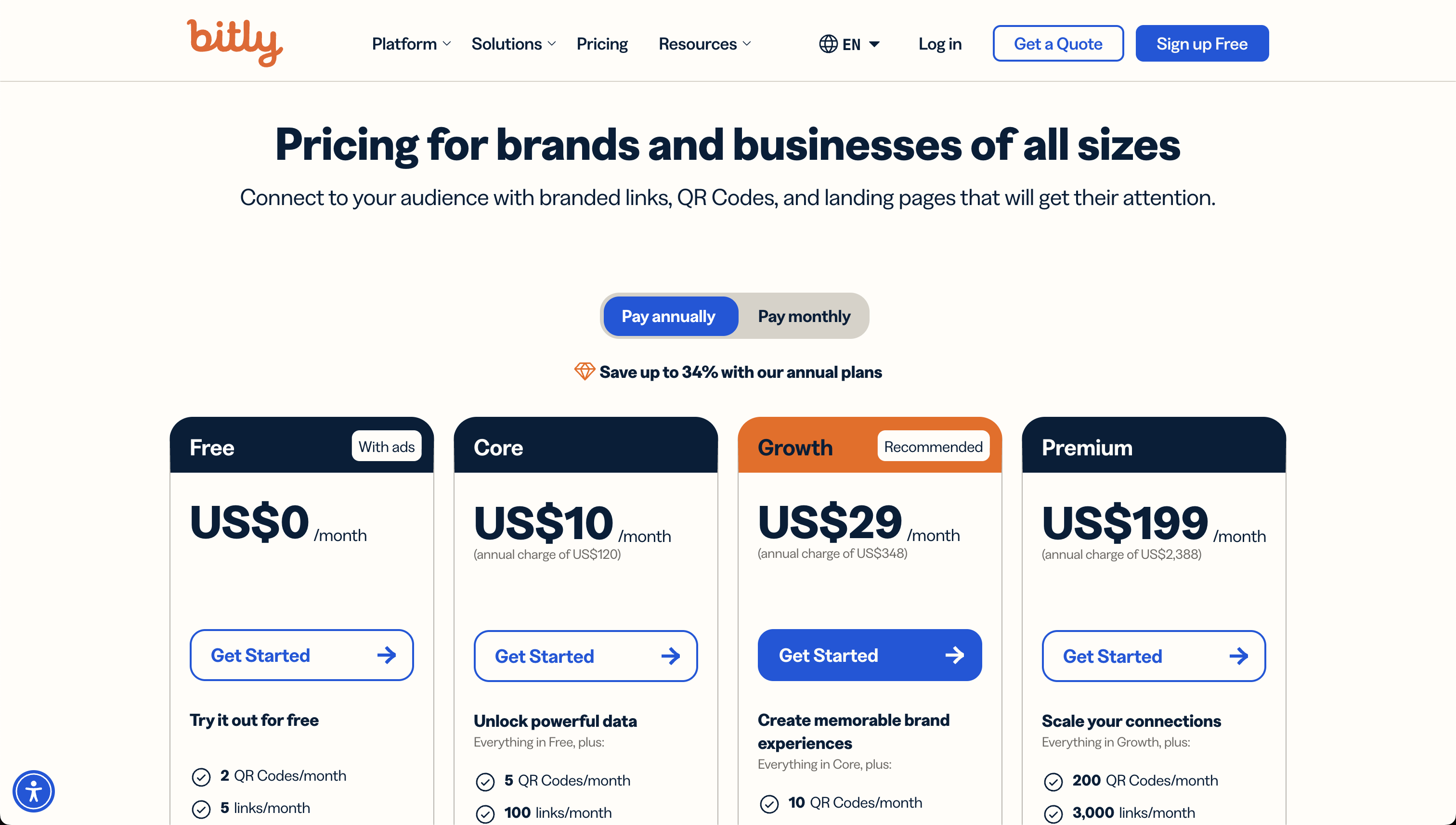
- Free plan with 5 links per month
- Core plan at $10/month (billed annually) for 100 links/month
- Growth plan at $29/month (billed annually) for 500 links/month
- Premium plan at $199/month (billed annually) for 3,000 links/month.
Best For
Podcasters who need simple link shortening and click counting without podcast-specific features or episode-level attribution.
Pros
- Simple, straightforward interface with minimal learning curve
- Established platform with reliable uptime
- Custom branded domains for professional-looking links
- Works for any type of link, not just podcast show notes
- QR code generation included
Cons
- No podcast-specific features or episode organization
- Cannot track social media attribution (where listeners came from)
- No connection between links and specific podcast episodes
- Very limited free plan (5 links/month) - weekly podcasters will need paid plans
- Link-based pricing model can become expensive for active podcasters (vs unlimited links on podcast-specific tools)
- No insights into listener journey or engagement beyond basic clicks.
4. Manual Tracking - Best for DIY Podcasters
What It Does
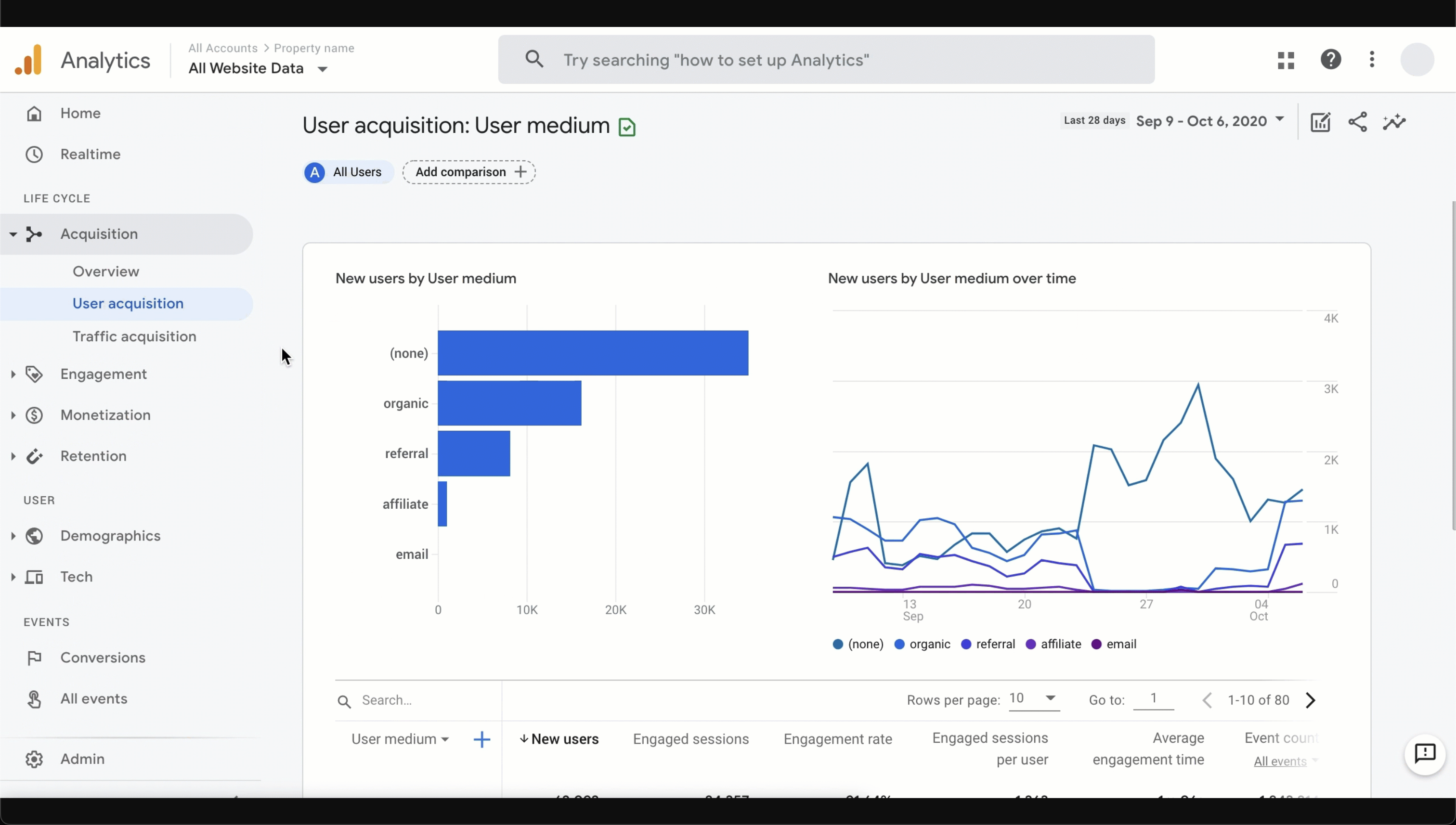
Manual tracking involves creating custom URLs with UTM parameters for each link in your show notes, then using Google Analytics or similar tools to track clicks. This free approach gives you complete control over your tracking setup. But it requires technical knowledge and ongoing manual work for every episode.
The process works by adding tracking codes (UTM parameters) to the end of your URLs, like ?utm_source=podcast&utm_medium=shownotes&utm_campaign=episode42. You then log into Google Analytics to see which links generated clicks. While this approach is free, it requires time to set up each link, remember to use consistent naming conventions, and manually compile reports to understand episode performance.
Key Features
- Full customization of tracking parameters
- Works with any analytics platform (Google Analytics, etc.)
- No monthly subscription costs
- Complete data ownership and control
- Can track any metric your analytics platform supports
Pricing
- Free (only requires time investment for setup and ongoing management)
Best For
Early-stage podcasters on tight budgets who have technical skills and time to invest in manual tracking processes.
Pros
- Zero monetary cost
- Complete control over tracking setup and parameters
- Works with analytics tools you may already use
- No vendor lock-in or platform dependencies
- Can be as detailed or simple as you want
- Data lives in your own analytics platform
Cons
- Time-consuming to create unique URLs for every link in every episode
- Easy to make mistakes (typos in parameters, inconsistent naming)
- No automated episode-level reporting (you have to compile data manually)
- Requires technical knowledge of UTM parameters and analytics platforms
- Cannot track social media attribution (where listeners come from before listening)
- No visual dashboard designed for podcast-specific insights
- Risk of forgetting to add tracking to links
How to Choose the Right Podcast Attribution Software
Match the Tool to What You're Optimizing
If you're a B2B podcaster promoting on social media and need to know which posts drive downloads AND which episodes convert listeners to leads, you need complete attribution like Bouncelink. If you only care about which show notes links get clicked, JumpLink or Bitly will work. If you don't promote episodes much, basic tracking or even manual methods might suffice.
Consider the True Cost
Manual tracking is free but takes 15-30 minutes per episode - that's 12-24 hours per year for weekly podcasters. Podcast-specific tools cost $16-20/month but automate everything. If your podcast generates even one qualified lead per quarter worth $1,000+, attribution tools pay for themselves by showing you what's working.
Test During Your Trial
Most tools offer free trials. Track 2-3 recent episodes you'll actively promote, check if the dashboard answers your questions intuitively, and look for insights you couldn't get before. The best tool gives you actionable data you'll actually use to improve your strategy.
Try Bouncelink for free
If your podcast does not drive enough leads for your business, try bouncelink to find out where to double-down your efforts.
Start a 30-day trial for freeno card required